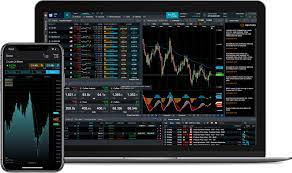
Metatrader 4, also known as MT4, is one of the most popular trading platforms used by traders worldwide. Its versatility and user-friendly interface make it ideal for both beginners and professionals. If you’re stepping into the trading world and wondering how to start, this guide will walk you through setting up and executing your first trade on MT4 efficiently and confidently.
Download and Install the Platform
The first step to trading on MT4 is to download and install the platform on your device. You can install MT4 on your PC, Mac, or even your mobile device. Once downloaded, follow the installation prompts, and launch the program.
After installation, log in using the credentials provided by your broker. This typically includes your account number, server details, and password. Ensure that you’re selecting the correct server for your trading account.
Familiarize Yourself With the Interface
When you open MT4 for the first time, the interface might seem overwhelming. Take time to explore the key features on the platform:
• Market Watch displays live price quotes of currency pairs and other assets.
• Navigator Panel provides access to accounts, indicators, and expert advisors.
• Charts Window visualizes price movements over time.
• Terminal shows crucial information like trading history, account balance, and pending orders.
Click around these sections so you’re comfortable with the setup before moving forward.
Deposit Funds Into Your Account
Before you can place your first trade, you’ll need to fund your trading account. Deposit funds through your broker’s payment options and ensure the amount corresponds to your trading goals. Stick to proper risk management practices and avoid overleveraging your funds.
Setting Up Your First Trade
Once your account is funded, follow these steps to set up your first trade:
1. Choose an Asset: Open the Market Watch panel and select the financial instrument you want to trade. Right-click on the pair and choose “Chart Window” to analyze its price movements.
2. Open the Order Window: Right-click on the chart or press the F9 key to open the order window.
3. Set Trade Parameters: Enter details for your trade, including lot size, stop loss, take profit, and order type (market or pending). These parameters are crucial to managing risk and ensuring profitable trades.
4. Execute the Trade: Click “Buy” or “Sell” to open your position depending on your market analysis. Your trade will now appear in the “Terminal” section under “Trade.”
Monitor and Manage Your Trade
Keep an eye on your open position by monitoring its progress through the “Terminal” panel. Use tools like technical indicators and price alerts to make informed decisions about closing or adjusting your trade. When the time is right, close the trade manually or wait for the stop loss or take profit levels to trigger automatically.
With these steps, you’re well on your way to trading confidently on MT4. Remember, success in trading requires continuous learning, proper strategy, and discipline. Happy trading!